Quoting is where most window fitting jobs are won or lost. Not on site, and not always on price - but on how quickly you turn a survey into a clear, professional quote the homeowner trusts. The tool you use for that shapes your speed, your accuracy, and how many quotes actually convert.
Most installers know their current setup isn't ideal. Word documents, spreadsheets, supplier portals and mental arithmetic get the job done until volume picks up. Then quotes go slow, details get missed, and follow-up falls through the cracks. Here's how to think about quoting tools - and what to look for when you're ready to upgrade.
Why the quoting tool matters
A quote isn't just a price. It's the first serious impression a customer gets of how your business runs. Vague specs, slow turnaround, or a PDF that looks like it was knocked together at midnight tells them you'll be the same on the job.
At the same time, every quote carries real commercial risk. A missed trickle vent, a wrong glass spec, or a size copied wrong from the survey can wipe out margin on an install - or worse, cost you a callback. With material prices tight, getting the numbers right Calculating Job Costs: Tools and Tips for Accurate QuotesJobs that look fine on the quote still leak margin when you skip consumables, overhead and contingency, and tight costing with real labour and supplier numbers is how you stop donating profit. matters more than ever.
The right quoting tool helps you move fast without cutting corners: capture what was surveyed, price it consistently, send something that looks professional, and know what's still waiting for an answer.
The quoting tools most window fitters use today
There's no single "best" tool. What works depends on your volume, your suppliers, and how much of the job you want in one place. Most firms sit somewhere on this spectrum:
Word or PDF templates. Flexible and free, but every quote is built by hand. Sizes get retyped from survey notes, versions multiply, and nothing tracks whether the customer opened it or went elsewhere. Fine for occasional one-offs; painful at scale.
Spreadsheets. Better for tracking totals and margins, but still manual. You're copying data from surveys, then into supplier systems, then into invoices. A job management spreadsheet Window fitting job management spreadsheet: when to use one and when to move onSpreadsheets work when you're small, but they break down once your team is on the road, you need photos on jobs, and nobody has time to keep them current. works until it doesn't - usually the moment you need to see every outstanding quote in one view.
Manufacturer and trade calculators. Strong on product pricing and configuration - profile, colour, glass, hardware - but often siloed. You price in one place, then retype the job elsewhere for scheduling, ordering and invoicing. Change a spec and you're updating two or three systems.
Dedicated quoting and estimating software. Built for speed and accuracy on the quote itself: guided measurements, live price lists, branded PDFs. Good if quoting is your main bottleneck. Less helpful if the pain is everything after the quote - scheduling, site photos, deposits, install.
Job management with quoting built in. Quotes live on the same record as the enquiry, survey, schedule and invoice. Survey data flows into the quote; an accepted quote flows into the job without re-keying. Best when you want quoting to be one step in a connected workflow, not a separate island.
What to look for when choosing
Before comparing products, be honest about where time is lost today. Is it building the quote, following up, or keeping survey details attached to the price you sent?
Survey data in, quote out. The best tools don't make you retype sizes. Measurements, photos and notes from site should feed the quote directly - ideally from digital survey forms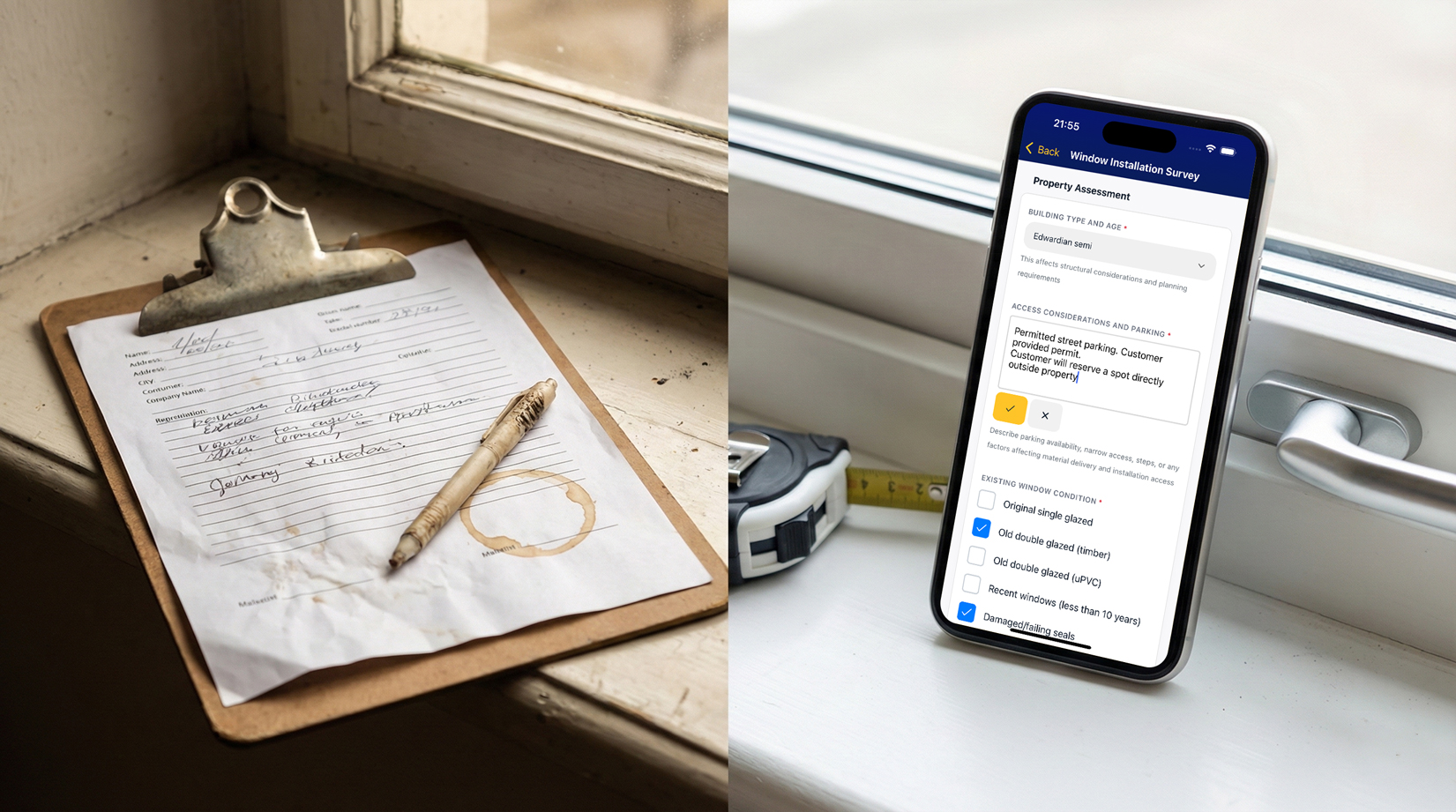 Digital survey forms for window fitters: why paper is costing youDigital survey forms on site replace lost paperwork, illegible notes and disconnected photos with data the office can quote from immediately. rather than scribbled paper.
Clear, professional output. Homeowners compare quotes side by side. Yours should list what they're getting: products, colours, glass, hardware, lead times. A clean PDF or online quote beats a vague one-liner every time.
Pricing you control. Whether you use supplier price lists, your own rate card, or a mix, you need to adjust margins and options without fighting the software.
Status and follow-up. Sending the quote is half the job. You need to see what's outstanding, how long it's been waiting, and when to chase - see how to stop losing track of quotes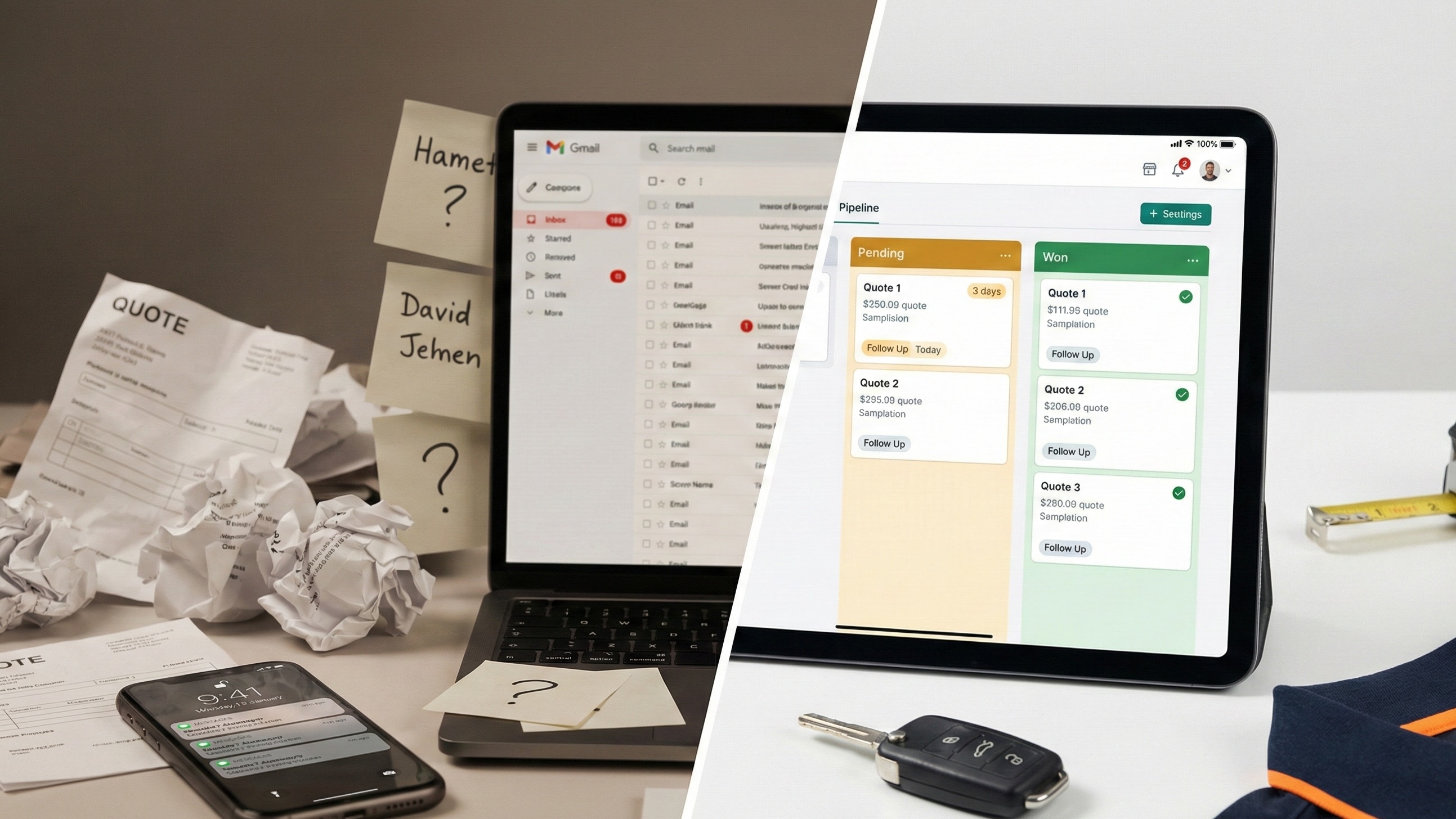 How to stop losing track of quotesYou lose quotes because they sit scattered across email, spreadsheets and memory, not because customers aren't interested, so every outstanding quote needs one visible pipeline with timed follow-up. and quotes follow-up
 Why your window fitting quotes keep going cold (and the follow-up system that fixes it)Most quotes go cold from inertia, not price, and a timed follow-up sequence on every outstanding quote is the cheapest way to lift win rate without booking another survey..
Connects to what happens next. If the quote wins, can you turn it into a job, order materials, and invoice without starting again? Disconnected tools mean duplicate work and silent errors.
Works on site and in the office. Surveys happen on phones. Quotes often get finished at a desk. Both need to be practical.
Mistakes to avoid
Choosing a tool that only solves quoting. A fast quote generator helps, but if you still run scheduling on a whiteboard and invoices in a separate app, you've only moved the bottleneck.
Overcomplicating before you're ready. You don't need enterprise software on day one. Start with the step that hurts most - usually visibility on outstanding quotes or cutting retyping from survey to price.
Ignoring follow-up. The tool that sends quotes prettiest doesn't win if you never chase the ones that go quiet. Consistent follow-up converts more jobs than a fancier template - same leads, same prices.
Quoting blind on margin. Software should make it easier to price from real costs, not hide bad numbers behind a slick layout. Understand why firms lose money on jobs Why Window Fitting Companies Lose Money On JobsJobs rarely lose money in dramatic ways, they bleed it in measurable places you can't see unless you compare what you quoted with what the job actually cost, which is the one habit most fitters skip. before you automate the wrong prices faster.
How FitterPal handles quoting for window installers
FitterPal treats quoting as part of the job, not a separate chore. The enquiry, survey, photos, quote, schedule and invoice sit on one record - so you're not copying customer details and sizes between apps.
You capture survey information digitally on site, build and send quotes from the same system, and see every outstanding quote in one place so nothing goes cold. When a customer says yes, you convert to a job without retyping the spec. Scheduling, materials, site updates and invoicing all connect back to the same job.
If supplier paperwork is slowing you down, Marshall - the AI assistant built into FitterPal - can pull details from manufacturer and supplier documents to speed up new jobs and quotes, with you reviewing everything before it goes to the customer.
For a deeper look at digital quoting specifically, see our guide to quoting and estimating software Quoting and Estimating Software: Boosting Accuracy for Window InstallersRe-keying sizes across Word, accounts and supplier portals is where margins die, and quoting software that captures once and generates quote, order and invoice from the same record fixes that.. For the wider picture of running quotes inside a connected operation, see best software for fitting businesses
 Best software for window fitting businessesPick fitting business software by joining up enquiry, quoting, scheduling, site photos and invoicing in one workflow instead of juggling separate log-ins..
Book a demo today and we'll show you how FitterPal helps window installers quote faster, follow up properly, and turn accepted quotes into jobs without the retyping.