Automate the next step when a stage is completed
Move the job automatically when a SmartStages step is marked complete.
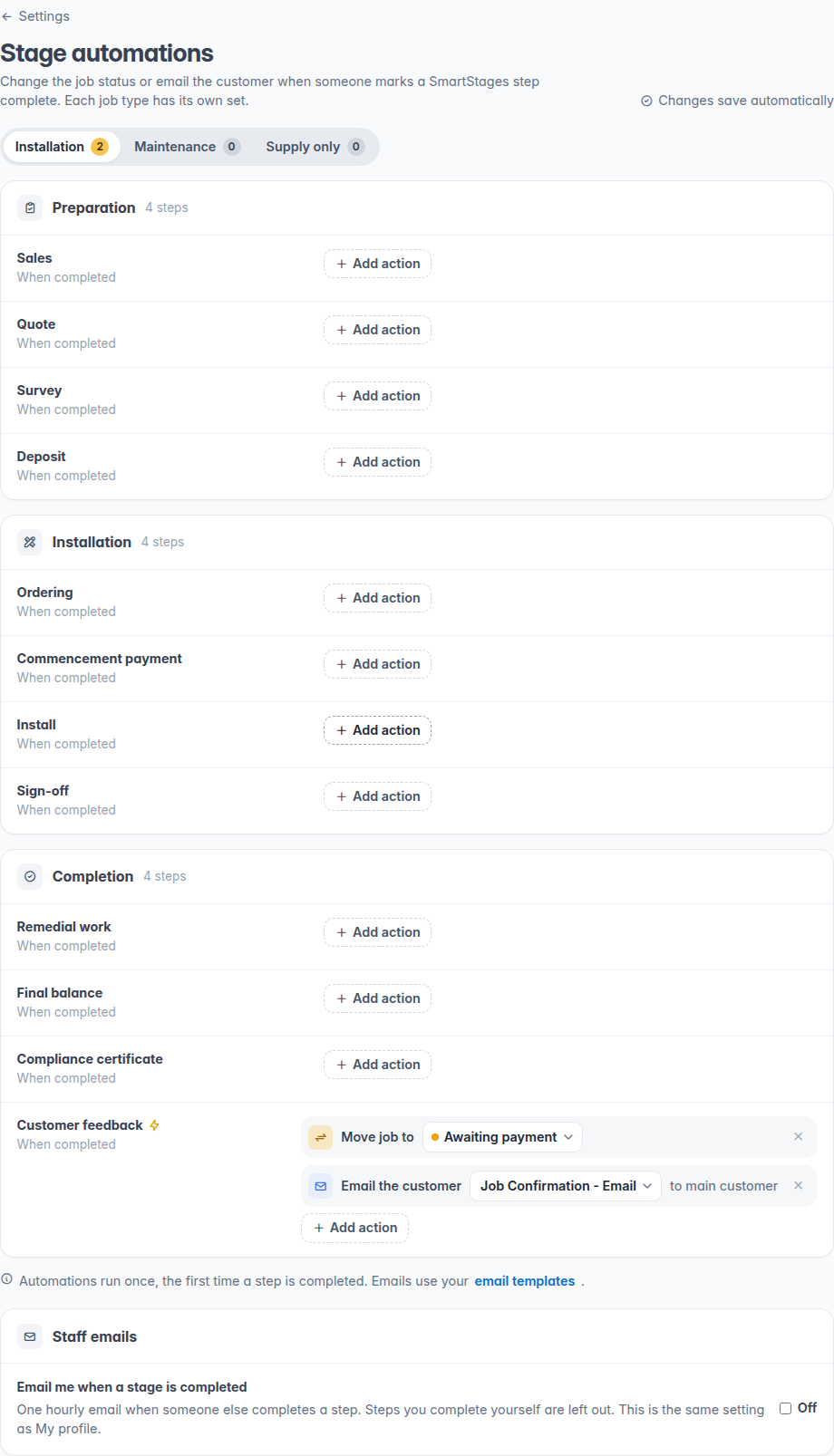
You can now tell FitterPal what to do when a SmartStages step is marked complete. For each job type, a step can move the job to another status.
Where to set it up
Open Settings and choose SmartStages. Pick Installation, Maintenance, or Supply only, then choose the status for a step. Changes save as you go.
The same page includes checklist tasks for new jobs, and the option to email you when someone else completes a step. That staff alert is still off until you turn it on, and it is the same switch as My profile.
What happens on the job
The status change runs once, the first time that step is completed. Undoing the tick and completing it again does not run it a second time. Skipping a step does not run it either.
The job moves straight away, to the end of that status column.