Customer messages in one place
Messages now groups every email and text by customer, with the same view on customer pages. Connected Gmail or Microsoft 365 is rolling out in stages.
Customer messages in one place
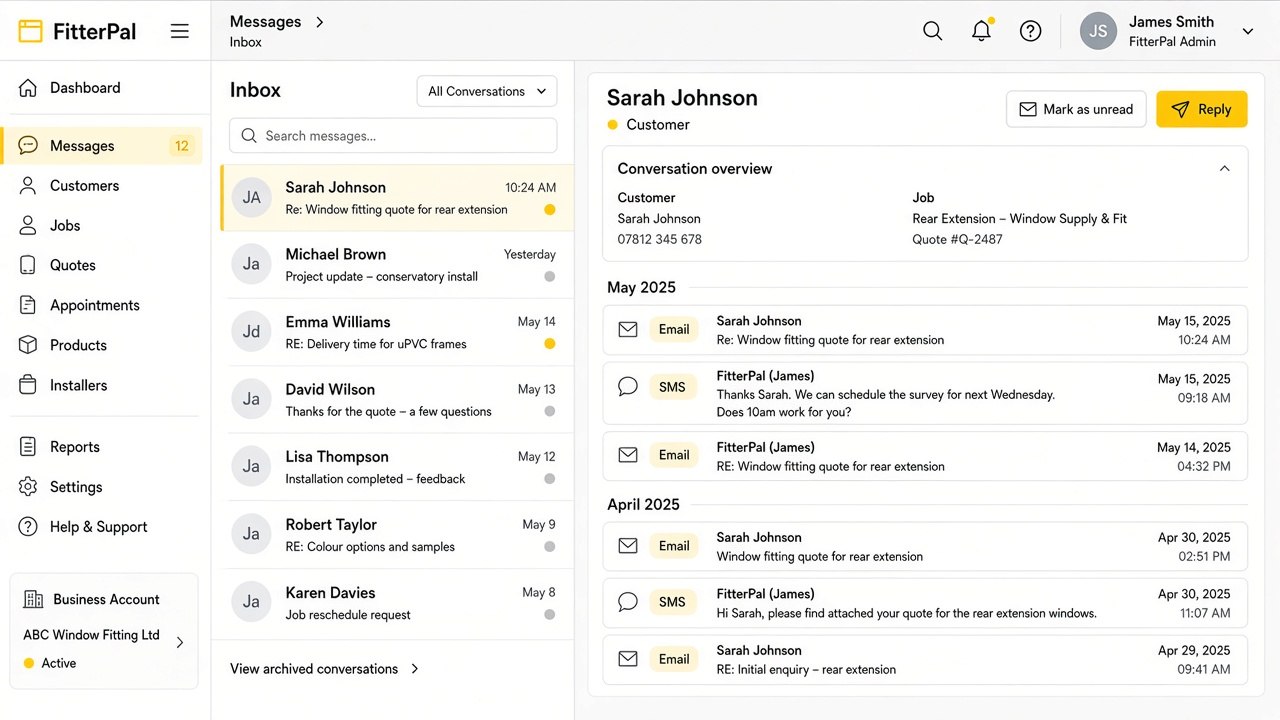
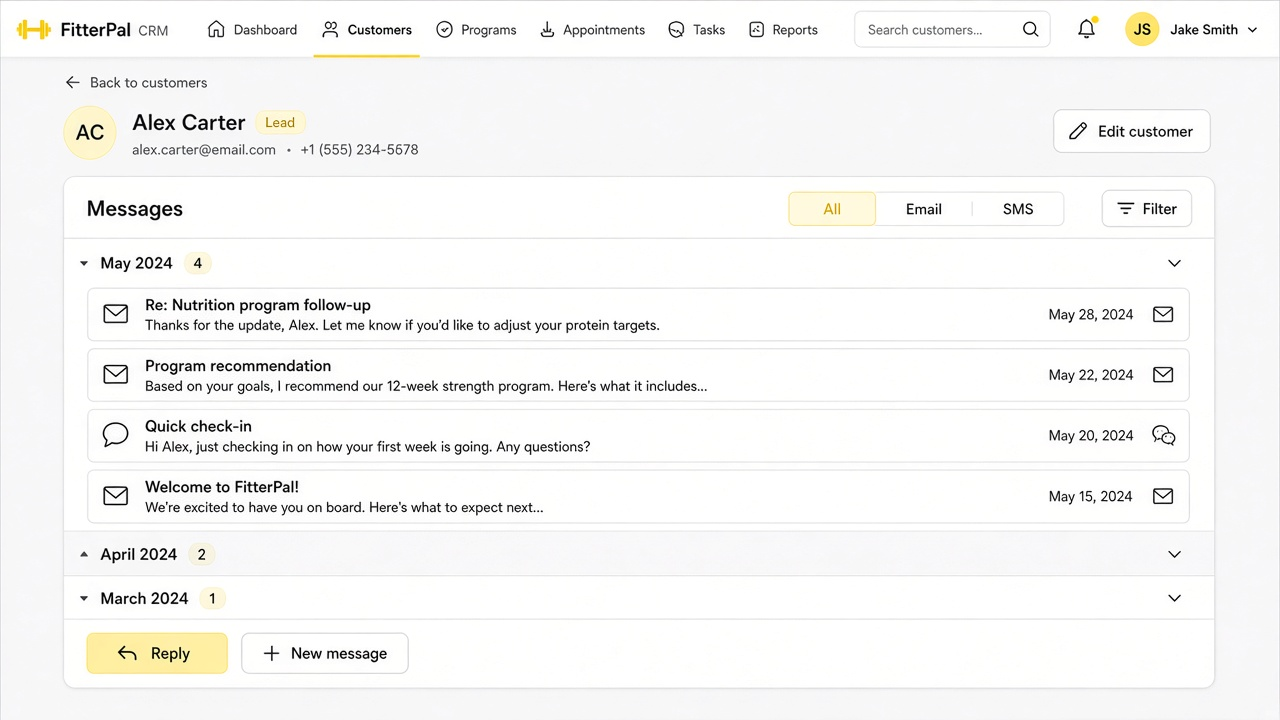
Messages is now organised by customer, so you can see emails, texts, and quote replies for one person in a single place instead of scrolling a flat list.
Open a customer to skim recent threads as short rows, then expand one when you want the full exchange. Filter by needs reply, failed, sent, or done, and reply by email or text without leaving the page.
The same overview also appears on the customer page, so you can catch up while you are already looking at their jobs and details.
Connect your own email
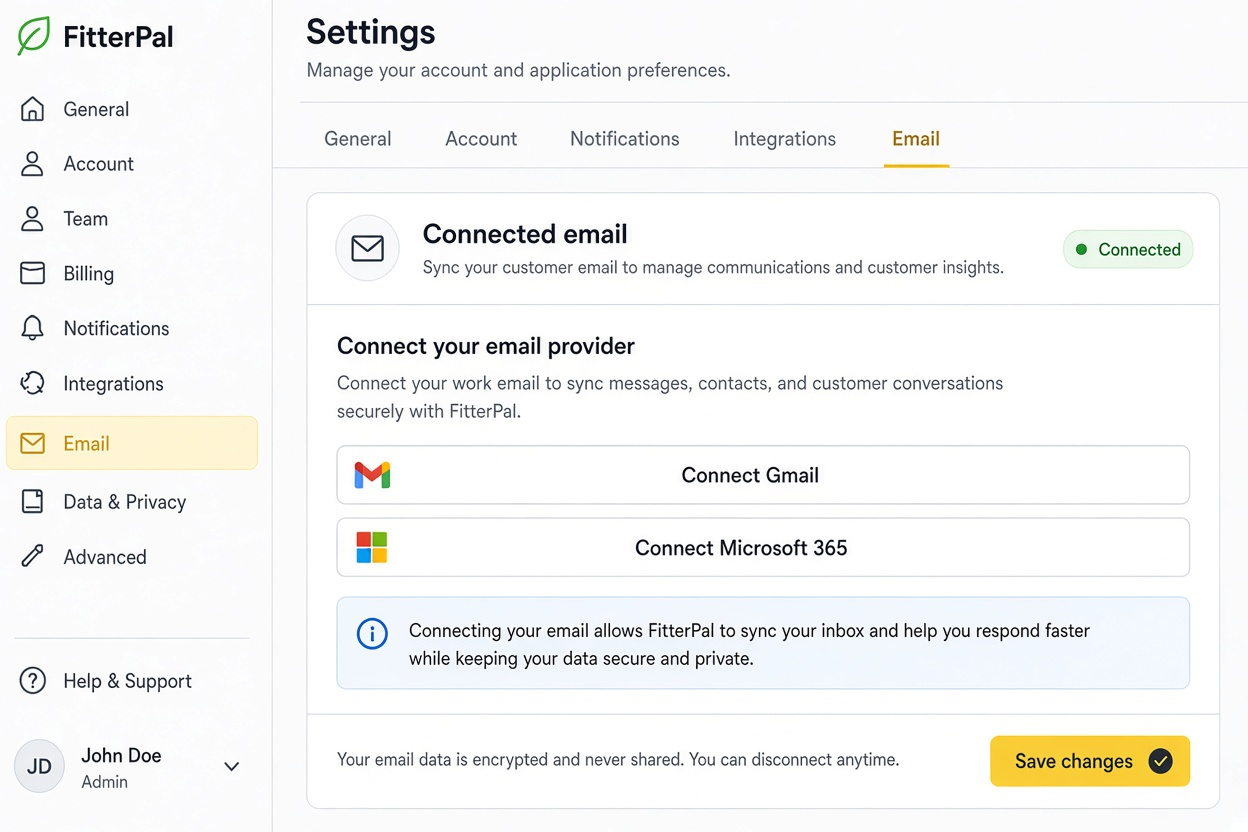
Connected email (Gmail or Microsoft 365) is rolling out in stages. When it is available for your account, you will see Connected email in Settings, and Messages will show whether your inbox is linked.
Choose Gmail or Microsoft 365, then connect. Once linked, you can see sync status, send as that address, sync now, or disconnect. If access expires, Reconnect needed appears with a clear Reconnect button. If you already connected before the staged rollout, that mailbox stays available so you can manage or disconnect it as usual.
FitterPal then brings in mail with your customers and contacts (including about the last 90 days) and shows it alongside their texts. While you have Messages open, new customer emails refresh as they sync. Opening a conversation in FitterPal also marks those emails as read in Gmail or Microsoft 365. Messages you send from FitterPal go out from your connected address. If Connected email is not available for you yet, or you prefer not to connect a mailbox, sending works as it does today.
Quotes, invoices, and contracts are unchanged.