Send a payment confirmation for paid invoices
Once an invoice is paid, send customers a payment confirmation email with a paid document attached, using the same preview and send flow as invoices.
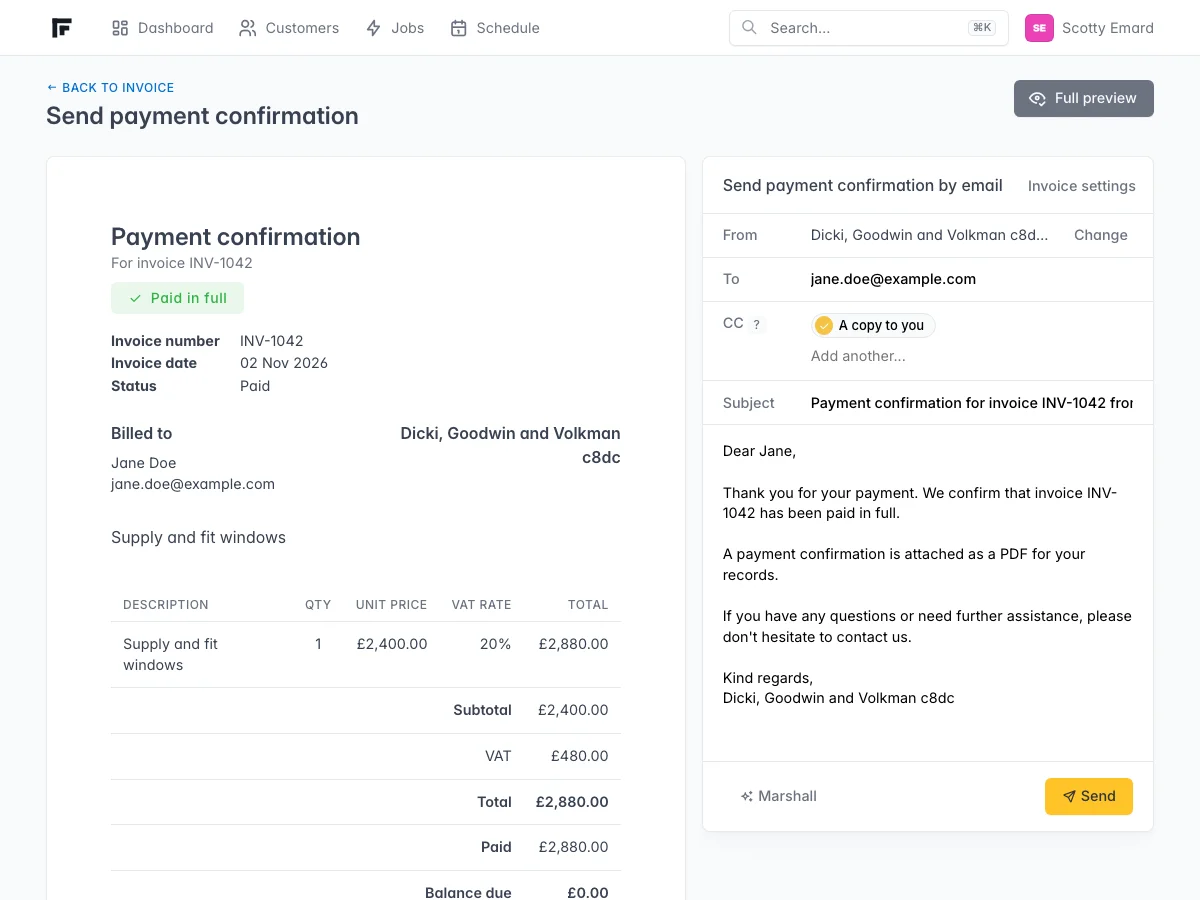
When an invoice is marked as paid, you can send a payment confirmation to the customer. It looks like the invoice send screen, but the document clearly shows the invoice has been paid in full.
How to send it
Open a paid invoice. Next to Mark as paid and Mark as cancelled, choose Send payment confirmation. Preview the paid document, edit the email if you need to, then send.
What the customer gets
They receive an email with your message and a PDF payment confirmation. The document shows paid in full and a zero balance, without bank payment details.
Customise the email
Under Invoice settings, use the Payment confirmation tab to set a default subject and message, the same way you do for invoice and proforma emails.