Warnings before an installation booking
Installation bookings now flag late deliveries, unaccepted quotes, and unpaid invoices before you save.
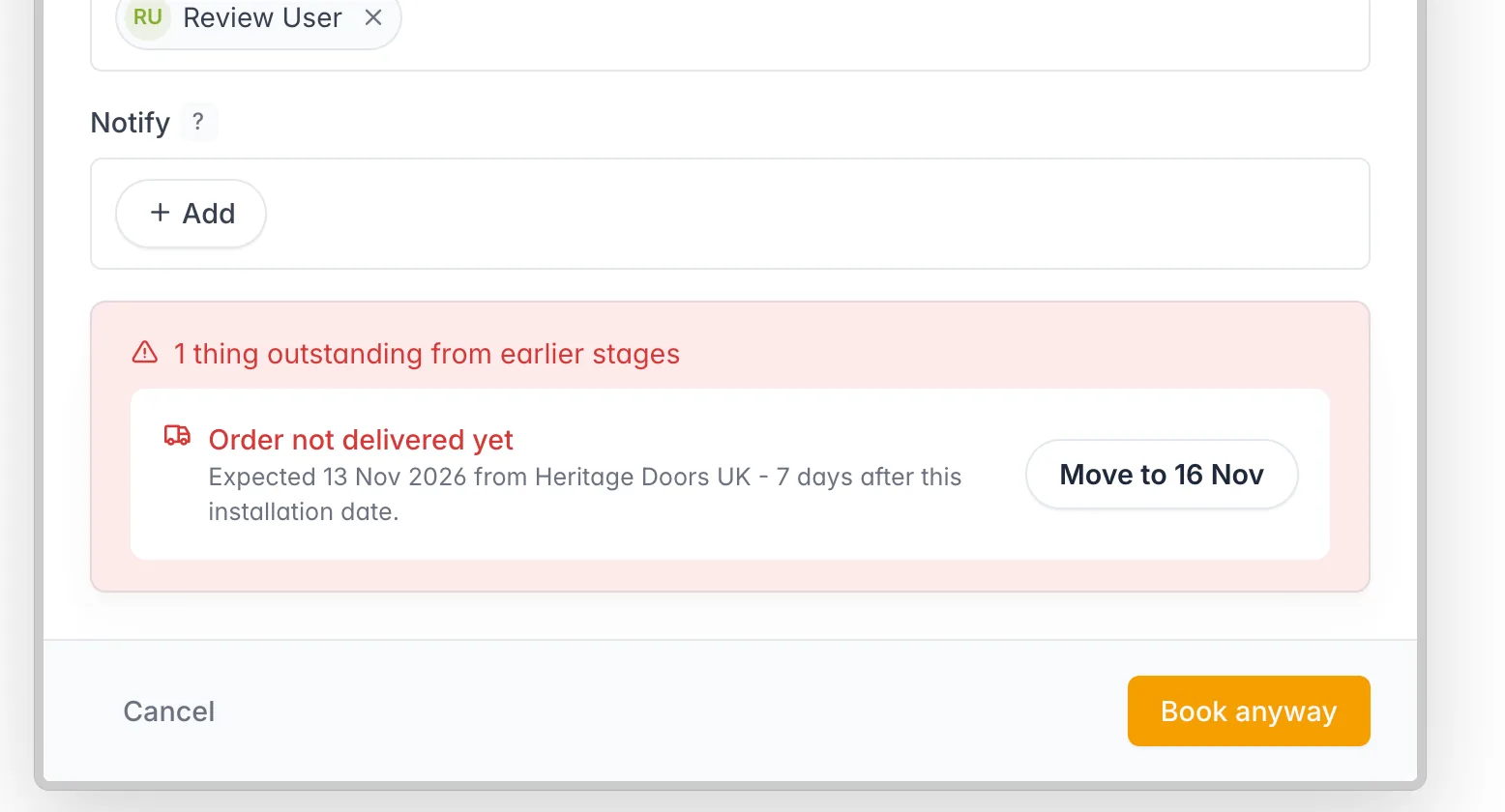
When you create or update an installation booking, FitterPal checks the job before it is saved.
What it checks
If an order is still waiting and its delivery date is after the installation date, the booking shows that, including the supplier and how many days late the delivery is. Move to shifts the booking to the next weekday after that delivery. A Friday delivery suggests the following Monday.
Sent quotes that the customer has not accepted, and sent invoices that are not marked paid, are listed underneath. You can resend the quote or send an invoice reminder from the booking. Those open in a new tab so the booking stays open.
The booking is not blocked. The save button waits until the check has finished. Book anyway (or Update anyway when you are editing) saves it with the warnings still in place, and is also what you see if the check cannot be completed. Surveys and other booking types are unchanged.
Cancel and the save button stay at the bottom of the booking window, so they remain visible while the form scrolls. The explanation of who is told about a booking is in the ? next to Notify.