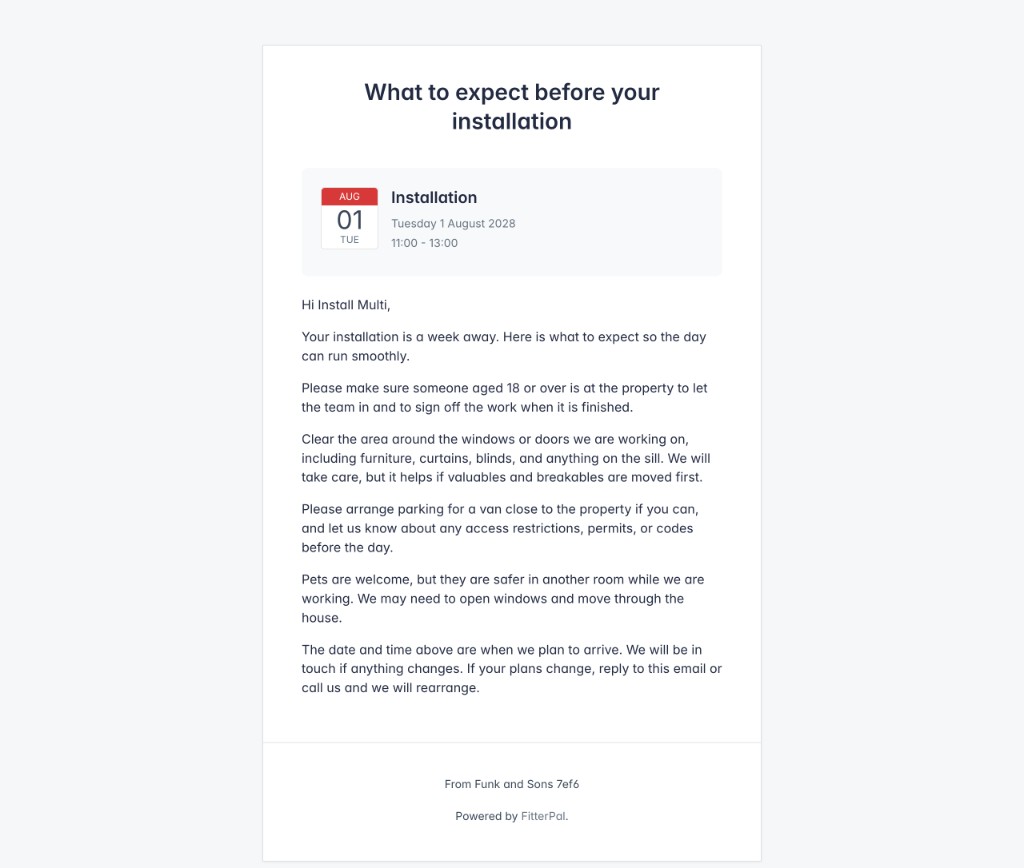
What to expect emails
Email customers a week before an installation so they know how to prepare.
A week before an installation, FitterPal can email the people listed under Notify on the booking. The email explains how to prepare, including having someone over 18 at the property, clearing the windows, arranging parking, securing pets, and getting in touch if plans change.
This is separate from the day-before reminder. It gives customers more time to prepare and can help prevent avoidable delays when your team arrives.
Here is how it works.
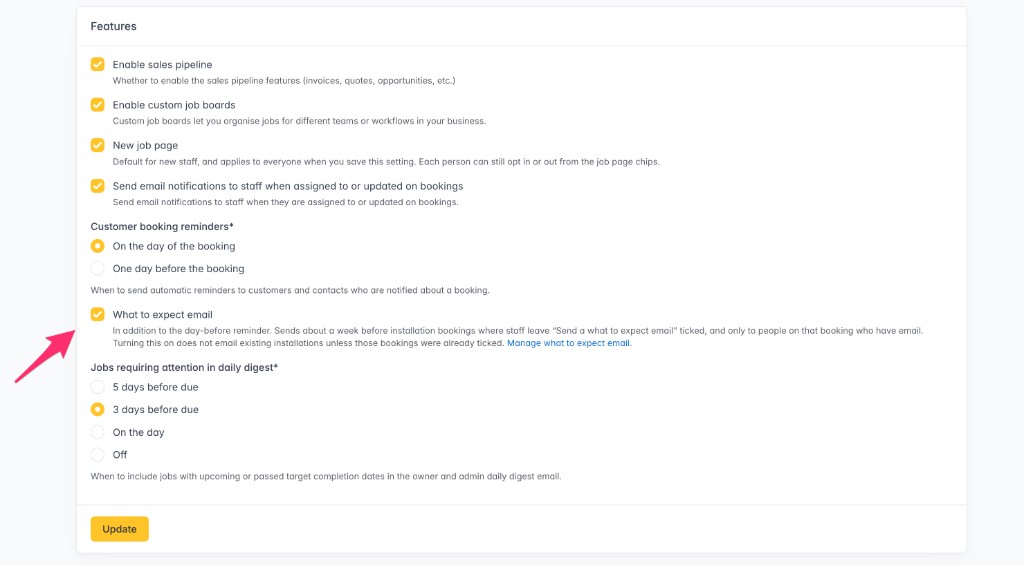
1. Enable the feature for your company
In Settings, under Features, turn on What to expect email.
2. Check you're happy with the email content
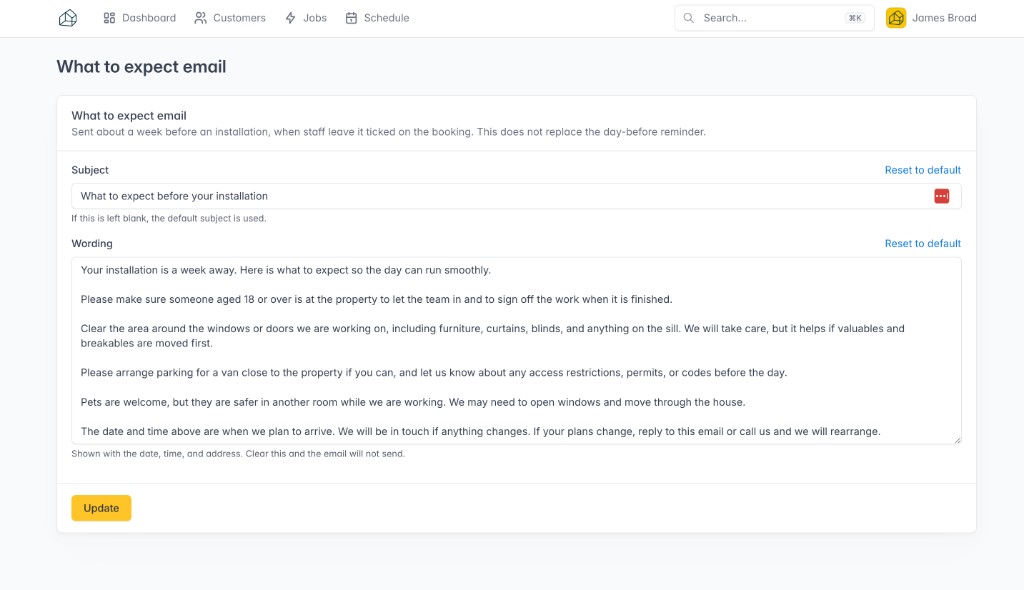
Open Manage what to expect email and check the subject and wording. Both start with a useful default. Clearing the wording stops the email. Clearing the subject puts the default subject back.
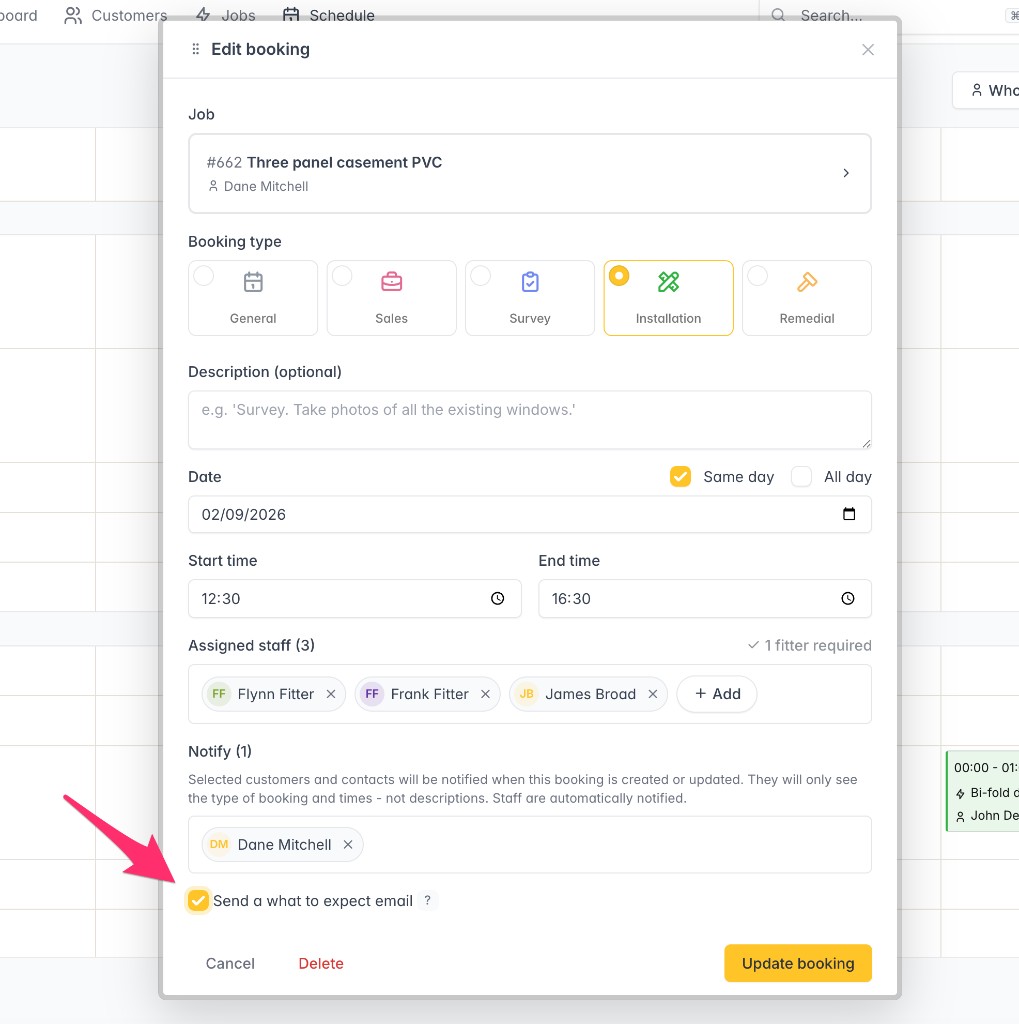
3. Tick it on the installation booking
On an installation booking, add at least one person under Notify with email selected, then tick Send a what to expect email. New installation bookings start with this ticked. Existing bookings stay off unless you tick them.
4. They get the email a week before
Seven days before the installation, each selected person receives the email. A copy is also recorded in the job’s sent messages.