FitterPal
  • Home
  • Features
  • How it works
  • Pricing
  • Login
  • Book a demo →
Login Book a demo →

What's new

Improvement 23 September 2026

Create customers in a dialog

Add a customer from the customers list without leaving the page, and set an optional title such as Mr or Dr.

You can add a customer from the customers list in a dialog, in the same way you create a job.
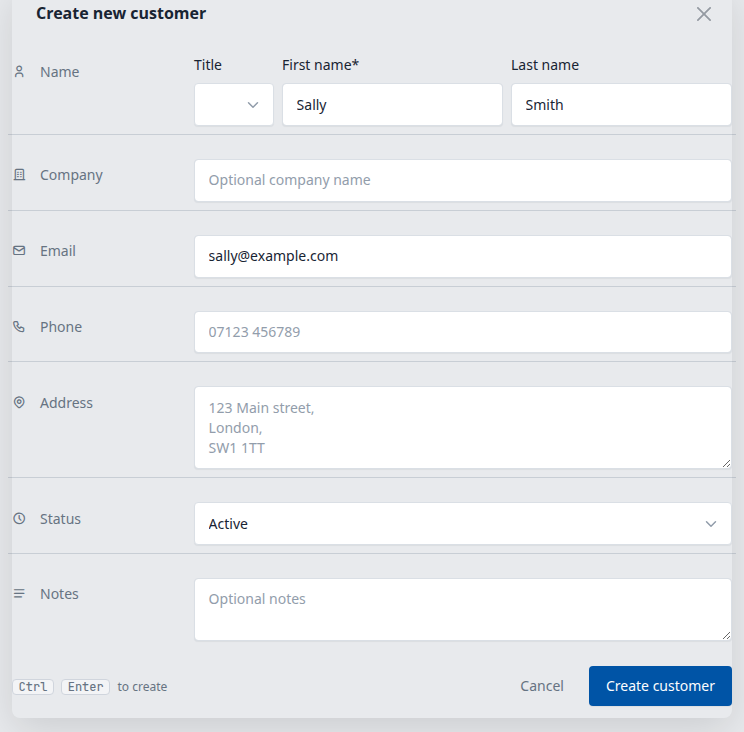
Create new customer dialog, with an optional title next to the name

Fill in the name and contact details, then open the new customer when you save.

Title is optional. Choose Mr, Mrs, Ms, Miss, Mx, Dr, Prof, or Rev when you want it on the customer, in the list, and on documents that use the customer's full name. Leave it blank if you do not need one.

You can change the title later from the customer page or the update form.

Open customers →

Get in touch

Our location

Third Floor
86 - 90 Paul Street
London
EC2A 4NE

Phone us

+447596772062

Email us

team@fitterpal.com

  • Home
  • Features
  • How it works
  • About
  • Pricing
  • What's new
  • Best software guide
  • Testimonials
  • Before and after photo maker
  • Growth guide
  • Privacy policy
  • Terms of service

All-in-one window-fitting job management software

Made by Kulor Ltd. Registered in England and Wales No. 15750076

FitterPal